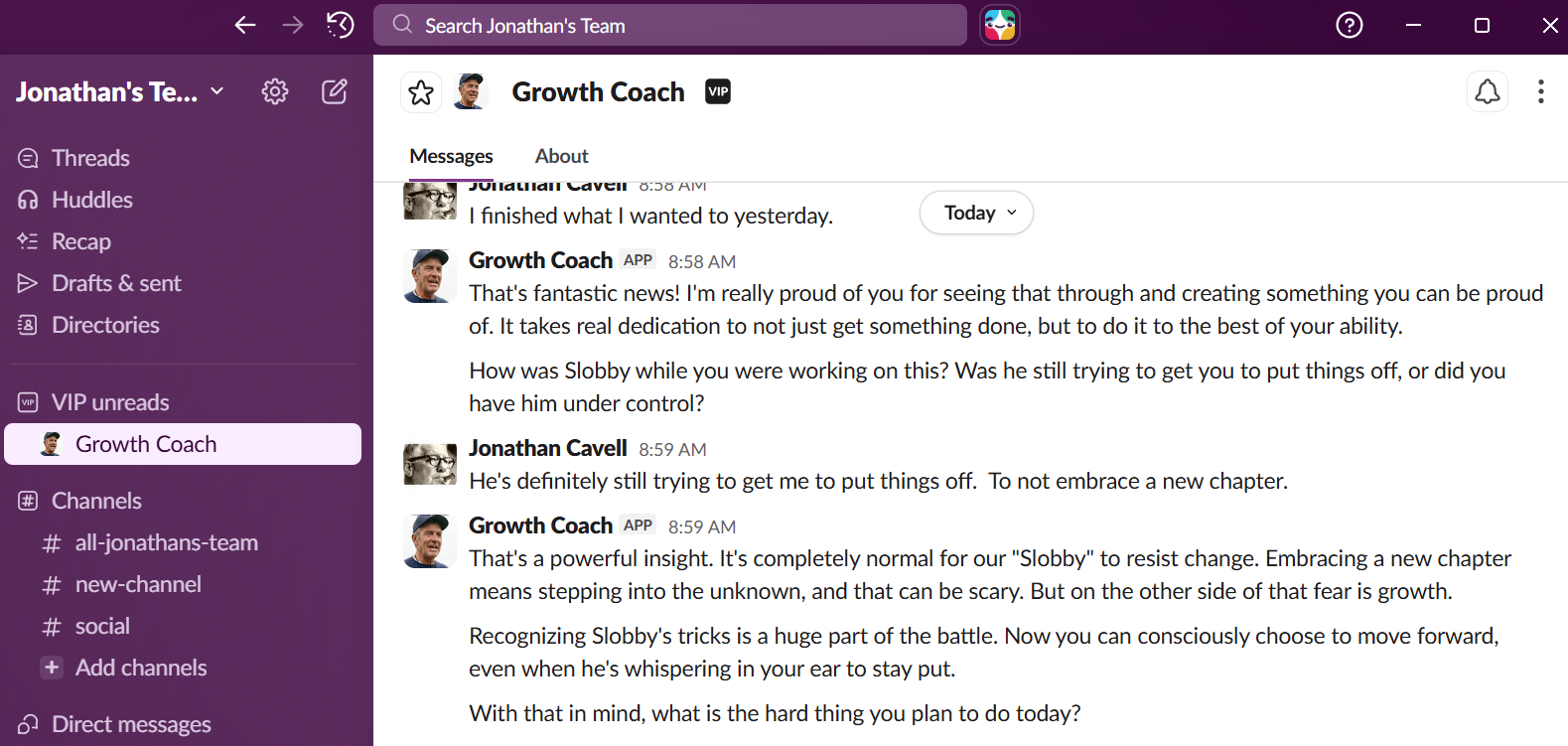
I’ve done a whole series now on creating my AI Growth Mindset Coach:
- What’s a Growth Mindset Coach and why build one?
- The First Version… built on the low code n8n.io platform
- Building the Growth Mindset Coach in Python using Google’s ADK
In this post I’m going to describe the effort to connect the Growth Mindset Coach (and possibly additional supporters in the future) to Slack so I can communicate with them more easily.
Why Slack?
After getting the Growth Coach working in ADK, I found myself not using it as much as I wanted to. The problem was friction. To have a conversation with the coach, I had to either open the Vertex AI console or spin up a local development server. That’s fine for testing, but it doesn’t fit into my daily routine. I wanted to message the coach when I’m in the middle of my workday—when Slobby is actively trying to convince me to avoid something hard.
Additionally, the Growth Coach is just one agent. I’ve also imagined agents that help me build my wine collection, monitor my diet, help me train for marathons, and more. What if my Slack workspace became a whole community of AI coaches, each with its own personality and area of expertise?
Why not just add slack as a tool for the Growth Coach Agent?
The naive approach would be to add Slack integration directly into each agent. The issue here is that every agent would need the same Slack verification logic, the same message handling, the same session management. And if I wanted to change how any of that worked, I’d have to update every agent.
What I really wanted was to separate concerns. The agents should be able to be built independently leveraging all the tools that Google gives you as part of the ADK (the dev server, the native API, etc…). The messaging infrastructure should be handled once, centrally. Adding a new agent should be as simple as registering it with the middleware. This makes Slack the “production” environment for my agents.
Another advantage to this approach that I could use the agents outside of this simple conversational setup. As my team and I work with Agentic AI more and more, I am convinced that the real power is in workflows. With agents not tied directly to the UI for chat I could also put them into a workflow. For example, maybe in the future I want The Growth Coach to review weekend plans before they are added to my calendar.
The Architecture of a Middleware Approach
I built a FastAPI service that sits between Slack and my fleet of Vertex AI agents. The architecture is straightforward:
User DM → Slack → Middleware → Vertex AI Agent → Response → Slack
Here’s what the middleware handles:
Agent routing: When a message arrives, the middleware looks up which Vertex AI Reasoning Engine corresponds to that Slack bot. Each agent gets its own bot identity in Slack—Growth Coach, Nutrition Advisor, etc. The lookup happens in Firestore, so adding a new agent is just a database entry.
Session management: Conversations maintain continuity. If I message my Growth Coach on Monday morning and come back that afternoon, we pick up where we left off. I set the timeout at 30 minutes of inactivity—long enough for a real conversation, short enough that coming back the next day starts fresh. This felt right for coaching interactions where I don’t want the agent referencing context from days ago that’s no longer relevant.
Async processing: Slack requires responses within 3 seconds or it thinks the request failed. The middleware immediately acknowledges the message, processes it in the background, and posts the response when ready. This is important because I am enjoying using reasoning models for better responses, but they are not instantaneous.
The key insight is that the middleware doesn’t know or care what the agents do. The Growth Coach has its Google Sheets integration for notes. A future Research Assistant might have complex tool integrations. The middleware treats them identically—it’s pure infrastructure.
Building More Agents to Add to the Team
The infrastructure is in place. My Growth Coach now responds to messages in Slack, maintaining session continuity and available whenever Slobby is trying to get me to avoid something hard. As I mentioned, I’m planning over the next few weeks to build some additional agents and harden the ability to add new ones and iterate on them. I added a script in this git repo that can be used whenever you build a new agent to register it to the “team”.
Can I follow Along?
I put the code on my Github if you want to follow along or make suggestions: github.com/BurgherJon/slack-vertex-ai-middleware